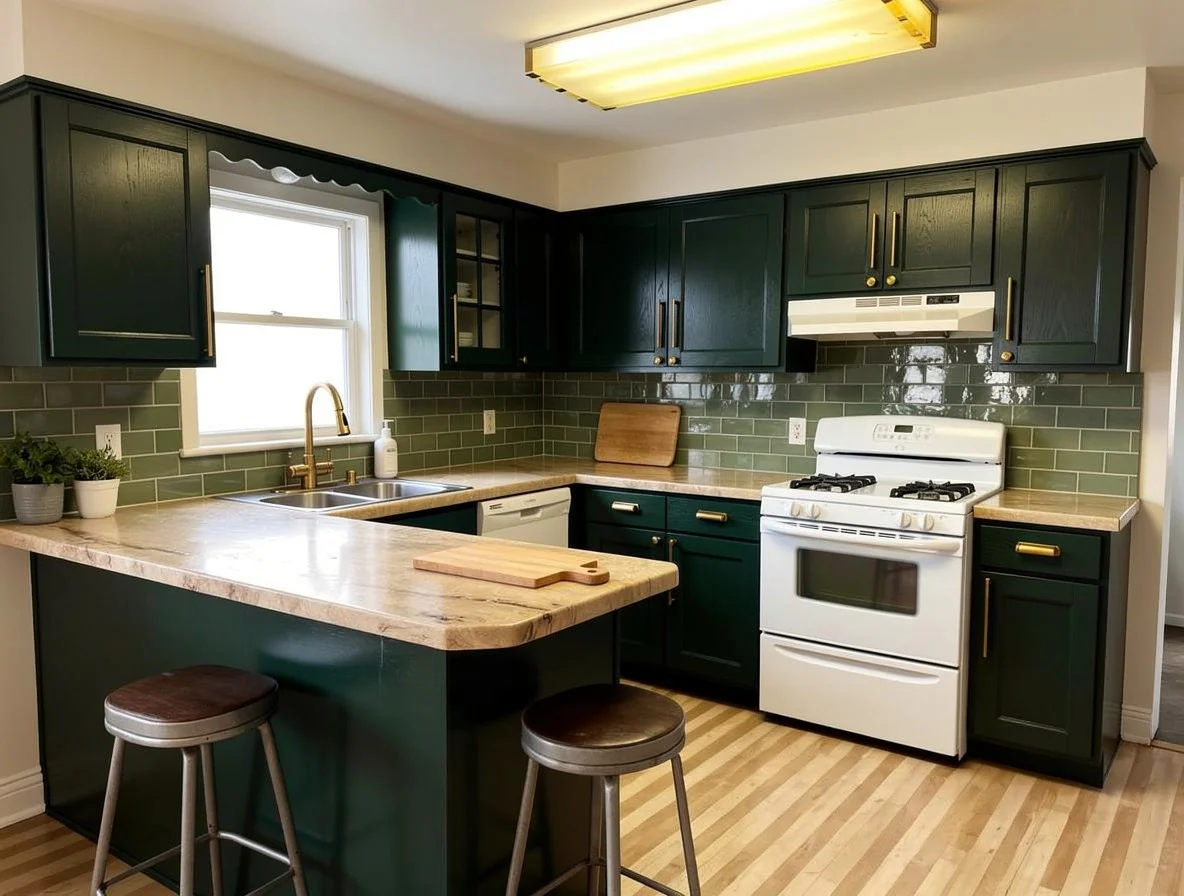
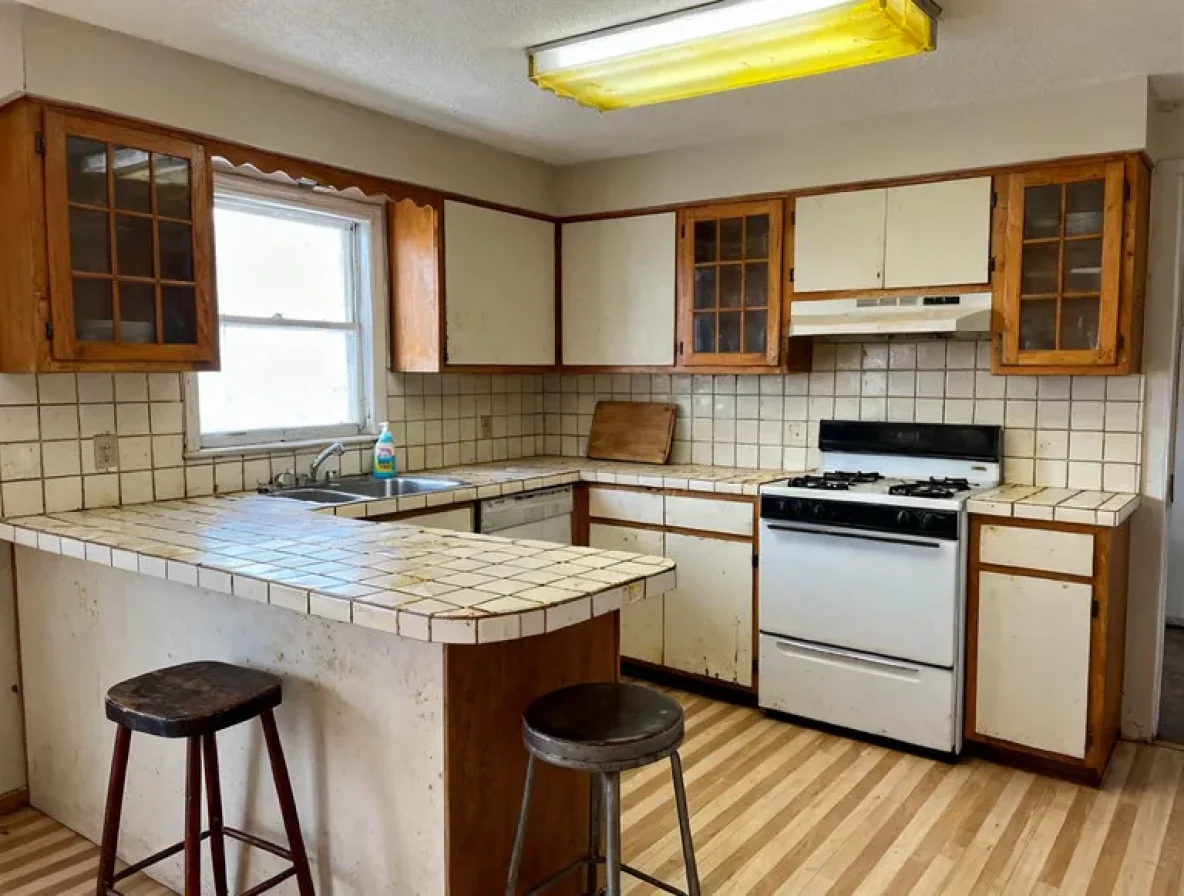
Put the moodboard on your kitchen instead of on a wall
The folder has two hundred kitchens in it, they do not agree with each other, and none of them is your room. This page explains what Match a Moodboard does. To try it on your kitchen, upload a photo on the home page.
How it works on your own kitchen
Upload your moodboard, or a single picture of the kitchen you keep coming back to.
Your kitchen is restyled to match its colors and materials, with the layout locked.
Opens the tool on the home page. Bring one photo of your kitchen.
Two hundred saved images and no decision
The folder started as a good idea. Somewhere to keep the kitchens you liked, so that when the time came you would know what you wanted.
The time came. You opened the folder. It contains two hundred kitchens, they do not agree with each other, and not one of them is your room.
This is the step the folder was missing. Upload the board, upload one photo of your kitchen, and get your room back wearing the colors and materials you have been collecting.
What crosses over, and what cannot
Colors and materials cross over. The cabinet tone, the counter material, the metal, the finishes. These are the parts of an image you can actually buy, and they are what the tool takes.
The layout does not. Your sink, your range, your fridge and your walls stay exactly where they are. This is deliberate. A moodboard's layout belongs to a room with different dimensions, different windows and a different ceiling, and importing it would give you a picture of a house you do not own.
That division is the whole value. It separates the part of an inspiration image that is transferable from the part that is not, which is a distinction almost nobody makes while they are saving images.
Build a board that gives a clear answer
Three or four images, not thirty. A board with thirty kitchens on it is thirty different instructions, and the result will be an average of them. Averages of good ideas are not good ideas.
Pick images that agree. If two of your favourites are a dark walnut kitchen and a white minimal one, that is not a board, it is a decision you have not made yet. Make two boards and run both.
One image is allowed. If there is one kitchen you keep going back to, just use that. It is often the clearest test available.
Include a material close-up if you have one. A photograph of the actual stone or the actual wood is worth more than another wide shot of a room.
When the answer is disappointing
Sometimes the result comes back and it is flat, and the room in your folder still looks better.
Before you blame the tool, consider the likelier explanation: what you love about that image is its light, its ceiling height, its window, or its size. Those are the properties of a building, not of a finish. They were never coming with you.
That is an unwelcome thing to learn and an extremely cheap one. It is much better learned from a picture than from a finished kitchen, and it tends to change what you look for next in a useful way.
What to do with the result
Take the version you like and break it into single decisions. Test the cabinet color on its own. Test the countertop material on its own. Test the backsplash against the countertop you chose.
The moodboard match tells you where you are heading. Changing one thing at a time is how you find out which parts of it were actually doing the work.
Match a Moodboard is on the Studio plan, along with virtual staging, floor plans and turning a sketch into a kitchen.
Two boards, two kitchens
These are demonstration kitchens, not customer photos. Each starting room was generated, and every result below is the real Match a Moodboard output run on it, with nothing retouched afterwards.
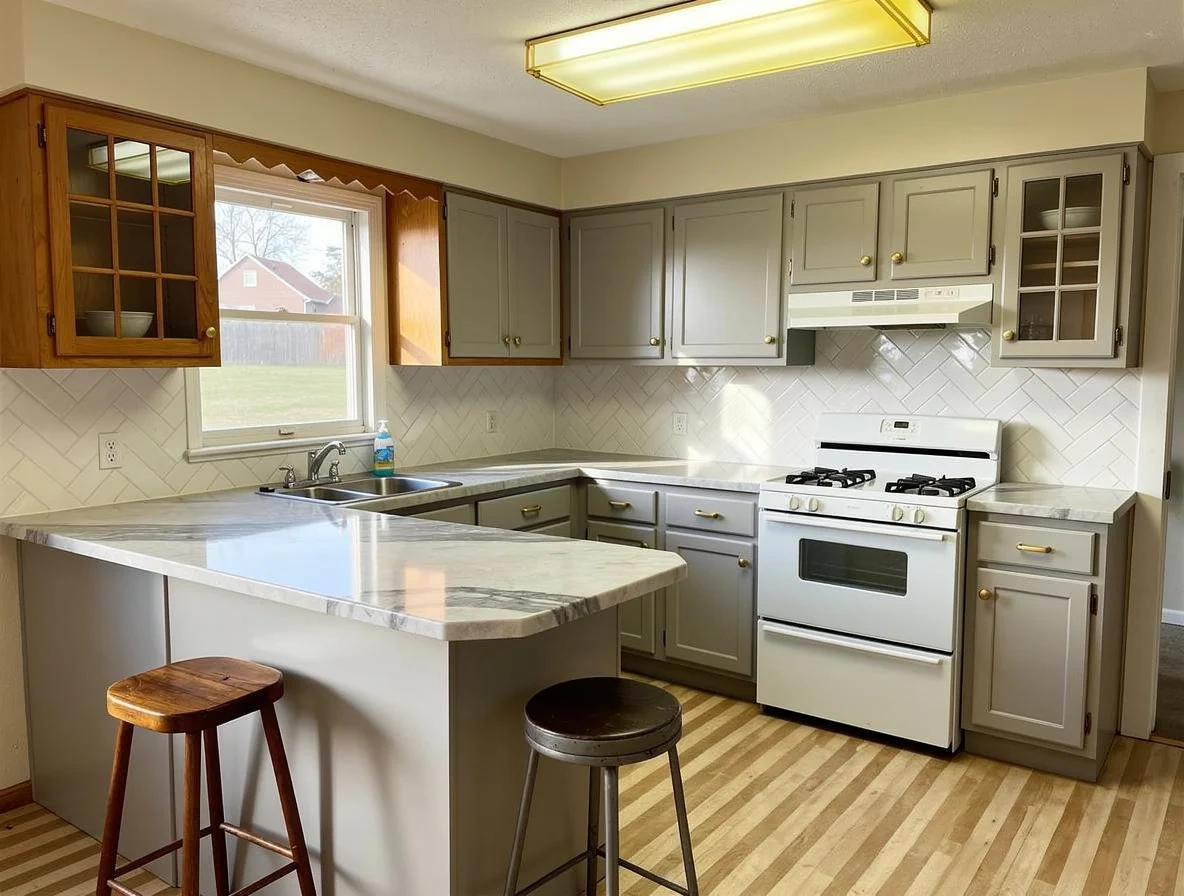
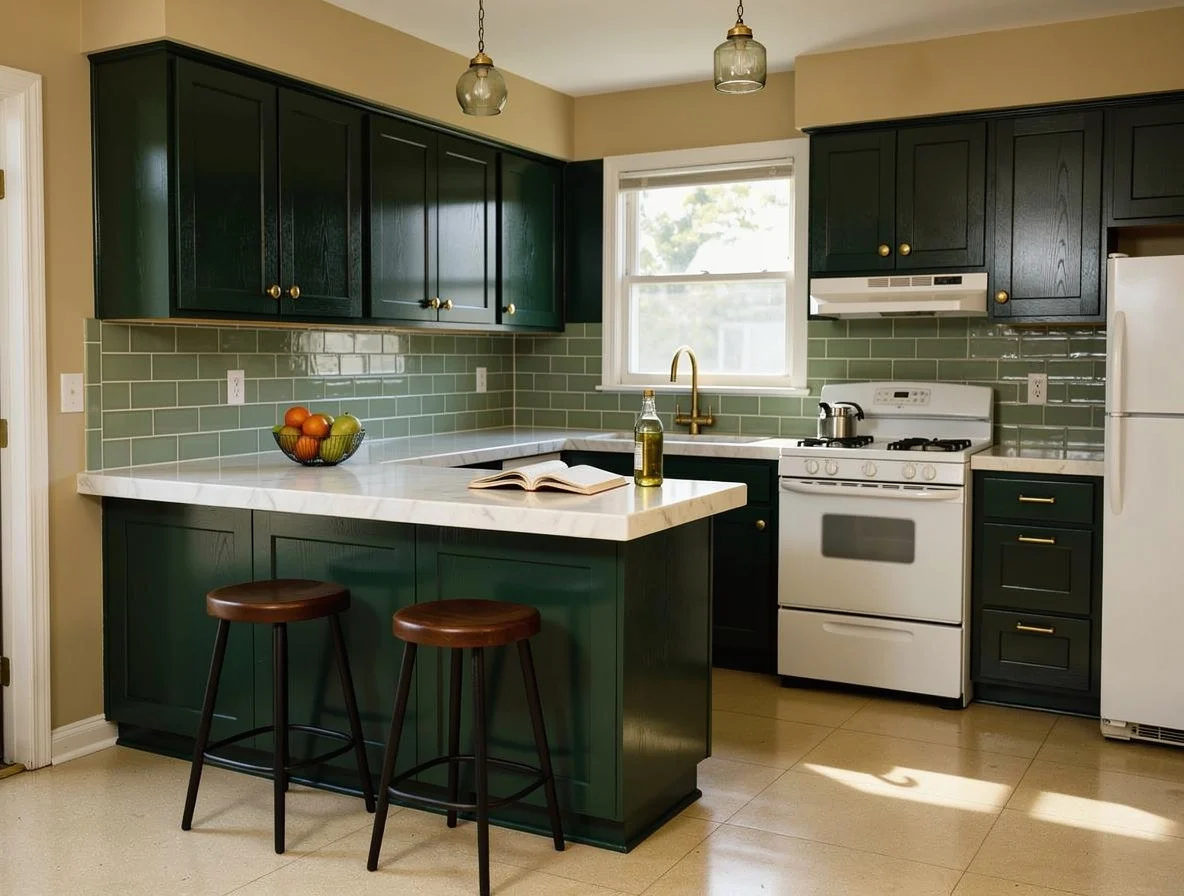
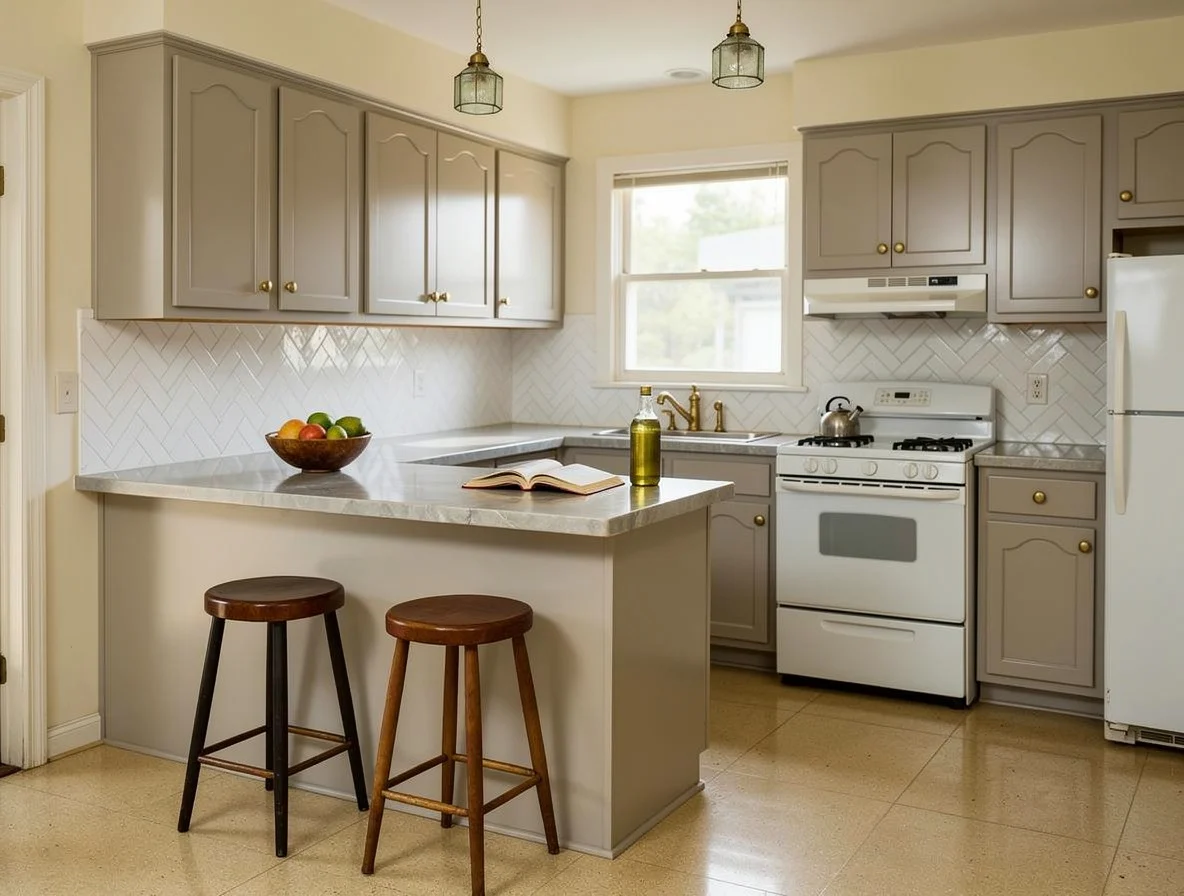
The parts of an inspiration image you can buy are the colors and the materials. The rest belongs to a building you do not own.
Questions people ask
What makes a good moodboard to upload?
Fewer images than you think. A board with thirty kitchens on it is thirty different answers, and what comes back will be an average of them. Three or four images that agree with each other produce a much clearer result.
Can I use one photo instead of a board?
Yes, and it often works better. If there is one kitchen you keep going back to, upload that. You will find out quickly whether what you like about it survives being moved into your room.
Will it copy the layout from the moodboard?
No, and that is the point. The layout is yours and it is locked. What crosses over is the colors and the materials, which are the parts you can actually buy.
What if the result is disappointing?
Then you have learned something worth knowing before you spent anything: the room in your folder works because of its windows, its ceiling height or its size, and not because of its finishes. That is an unwelcome answer and a cheap one.
Which plan includes it?
Match a Moodboard is on the Studio plan, along with virtual staging, floor plans and turning a sketch into a kitchen.
Your folder of kitchens is not your kitchen
Upload the board and one photo of your room, and find out which part of what you have been saving actually survives the move.
One photo. About a minute. Your room, not this one.